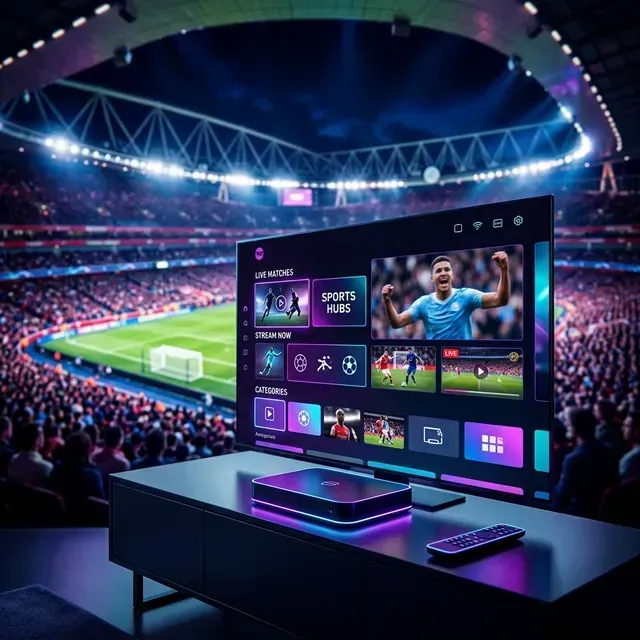
The biggest sporting spectacle on Earth is finally here. On June 11, 2026, the FIFA World Cup 2026 kicked off with spectacular opening matches, marking the start of a historic 48-team tournament hosted across the United States, Canada, and Mexico. For the next month, football fans around the globe will be glued to their screens. But for cord-cutters, finding a reliable, high-quality, and cost-effective way to watch the tournament can feel like navigating a maze.
To watch every game legally in the US, UK, or Canada, you would normally have to subscribe to multiple premium cable networks, streaming bundles, and sports packages. Between regional blackouts, device incompatibility, and low-quality free feeds that freeze right before a crucial penalty kick, the streaming experience can quickly become a nightmare.
Fortunately, there is a better way. In this expert guide, we will break down the official broadcasters worldwide, explain the technical reasons why your current stream might suffer from buffering, and reveal the ultimate streaming setup to watch every single World Cup match in gorgeous 4K UHD.
The Road to the FIFA World Cup 2026: A Cord-Cutter's Dilemma
With matches spread across three different host nations and dozens of stadiums, media rights are more fractured than ever. Major broadcasting networks have locked up exclusive rights behind expensive paywalls. If you want to follow your national team or watch every match from the group stages to the final on July 19, 2026, relying on a single local subscription simply won't work.
For instance, US fans face games split between English-language networks and Spanish-language broadcasts. In the UK, the matches are divided between public service broadcasters, which can lead to streaming delays and interface headaches. Meanwhile, Canada and Australia have their own exclusive streaming homes.
Let's look at the average cost of subscribing to all the networks needed to watch the tournament in standard regions:
- United States: Cable replacement services (like FuboTV or YouTube TV) plus additional sports add-ons will run you $80 to $105 per month.
- United Kingdom: A combined TV license and pay-TV packages easily exceed £70 per month.
- Canada: Multiple sports packages (TSN+ and CTV) total over $40 per month.
Instead of paying hundreds of dollars for packages you'll only use for a few weeks, smart viewers are turning to premium streaming setups to aggregate all global feeds into a single, high-performance interface.
Official World Cup 2026 Broadcasters: Country-by-Country Breakdown
Before we dive into the ultimate streaming hack, it is important to know who is officially broadcasting the matches in each major region. Different networks offer varying levels of commentary, pre-game analysis, and video quality.
Here is a comprehensive comparison of the official rights-holders for the 2026 tournament:
| Region | Official Broadcaster | Language | Streaming Platform | Typical Cost |
| :--- | :--- | :--- | :--- | :--- |
| United States | FOX / FS1 / Telemundo | English / Spanish | Fox Sports App / Peacock | $10 - $85+/mo |
| United Kingdom | BBC / ITV | English | BBC iPlayer / ITVX | TV License (£169.50/yr) |
| Canada | TSN / CTV | English / French | TSN+ / CTV App | $20 - $30/mo |
| Australia | SBS | English | SBS On Demand | Free (Ad-supported) |
| Ireland | RTÉ | English | RTÉ Player | Free (Local only) |
| Italy | RAI / DAZN | Italian | RaiPlay / DAZN App | Free to €30+/mo |
| International | FIFA+ | Multiple | FIFA+ Web / App | Select regions only |
As you can see, the coverage is highly segmented. Furthermore, if you are traveling abroad, you will be blocked from accessing your home country's feed due to strict geo-blocking. Broadcast agreements use geofencing to detect your IP address and block streams if you are outside the designated broadcasting territory.
The Hidden Sports Streaming Bottleneck: ISP Throttling & Buffering
There is nothing worse than watching a tense match, only to have the screen freeze and display a spinning loading wheel just as a player runs up to take a penalty. Many viewers assume that buffering is caused by their internet speed or the streaming server itself. In reality, the culprit is often ISP Throttling.
During massive global events like the World Cup, millions of users stream video content simultaneously. To prevent their local infrastructure from collapsing under the weight of this massive bandwidth demand, Internet Service Providers (ISPs) actively monitor network traffic. When they detect high-bandwidth, high-concurrency protocols—specifically live video streams—they dynamically limit or "throttle" the speed of that connection.
Standard streaming feeds are highly vulnerable to this practice. To solve this, StreamVexa utilizes Anti-Freeze 3.0 technology. This system implements:
- Traffic Masking: Our network protocols hide the nature of the data you are streaming, preventing your ISP from identifying and throttling your sports feeds.
- Redundant Server Routing: If a server node experiences high load, our system automatically and seamlessly reroutes your connection to an optimal server.
- Local Edge Caching: We distribute stream caches closer to major metropolitan areas, minimizing latency and ensuring a stable, uninterrupted 50fps signal.
By bypassing ISP limits, you can watch the fastest action on the pitch with the exact same stability as traditional satellite television.
The Ultimate StreamVexa Hack: Watch Every Match in 4K UHD
If you want to bypass the expensive cable bundles, eliminate regional blackouts, and enjoy every game with studio-grade audio and video, StreamVexa Premium is the smart option.
Unlike budget providers who compress their signals to save server costs (resulting in blurry grass and trailing footballs), StreamVexa prioritizes high-bitrate, uncompressed streams. This means you get true 4K UHD at 50/60 frames per second on all major global channels.
Here is what you get with a StreamVexa Premium subscription:
- All Global Broadcasters: Access Fox Sports, Telemundo, BBC, ITV, TSN, CTV, and SBS under one roof.
- Zero Blackouts: Because you can easily switch to international feeds, local regional restrictions do not exist.
- Multi-View Support: Watch up to 4 matches simultaneously on a single screen—perfect for the final group-stage games where matches kickoff at the exact same time.
- Anti-Freeze Server Network: Rest easy knowing our Anti-Freeze 3.0 infrastructure prevents freezes and lag during high-concurrency matches.
Getting started is incredibly simple. We do not require complicated credit card sign-ups or long-term contracts. You can set up your subscription instantly via WhatsApp and test the service risk-free with our 7-day money-back guarantee.
👉 Start Your Premium Streaming Experience on WhatsApp
How to Optimize Your Devices for World Cup 2026 Streams
To get the absolute best performance out of your stream, your hardware and software setup must be correctly configured. Follow these three steps to build the ultimate home theater sports setup.
Step 1: Optimize Your Streaming Device
If you are using an Amazon Fire TV Stick, Nvidia Shield, or Android TV, you need a high-performance setup that can decode high-bitrate 4K video feeds. Avoid using basic web browsers or cheap media players. For Firestick users, we recommend setting up your system utilizing our detailed Firestick Sideloading Guide. Sideloading allows you to install lightweight, dedicated streaming applications that run directly on the hardware without system overhead.
Once your device is ready, you need a professional interface to manage your channel lists. We highly recommend using TiviMate Premium. It features a clean electronic program guide (EPG), fast channel switching, and the ability to customize your sports groups. Check out our step-by-step TiviMate Premium Setup Guide to learn how to unlock advanced options, configure the player, and enable multi-view layout configurations.
Step 3: Eliminate Streaming Buffering
Even with premium hardware, local network interference can sometimes cause drops. To ensure absolute stream stability, we suggest hardwiring your streaming device using an Ethernet cable rather than relying on Wi-Fi. If you do run into any issues during peak kickoff times, refer to our comprehensive guide on Fixing IPTV Buffering to diagnose network pathing issues and restore your stream in seconds.
Frequently Asked Questions (FAQ)
Is it legal to watch the World Cup 2026 live stream through premium IPTV services?
The legality of streaming services varies depending on your regional laws and the specific rights-holder agreements in your country. StreamVexa provides access to global, public broadcasters (like BBC, ITV, and SBS) who hold official rights. To secure your online activity and maintain privacy from ISP tracking, we recommend using a reliable VPN.
Will I experience buffering during the World Cup final or high-traffic matches?
While cheap providers often crash during peak sports events due to overloaded servers, StreamVexa's network is built to scale. Our Anti-Freeze 3.0 technology and load-balancing routers distribute user traffic across multiple redundant servers, ensuring that your stream stays active and clear from kickoff to the final whistle.
What internet speed is required to stream the World Cup in 4K?
For a steady 4K UHD stream at 50/60fps, we recommend a minimum download speed of 25 Mbps. If you have other users on your home network, a 50 Mbps connection is ideal. Connecting your device directly with an Ethernet cable instead of Wi-Fi will prevent packet loss and maintain a constant bitrate.
Can I watch multiple World Cup games at the same time?
Yes! By setting up StreamVexa on a media player like TiviMate Premium or IPTV Smarters Pro, you can use the Multi-View feature. This allows you to split your TV screen and watch up to 4 different live matches at the same time, making sure you don't miss any action during concurrent group-stage kickoffs.
- Meta Title: How to Watch FIFA World Cup 2026 Live Stream in 4K UHD
- Meta Description: Stream every match of the FIFA World Cup 2026 without cable. Access official global networks in 4K UHD with zero buffering or geo-blocks.
- URL Slug:
/blog/how-to-watch-world-cup-2026-live-stream
- Primary Keyword: watch World Cup 2026 live stream
- Secondary Keywords: world cup live stream, stream world cup 2026, watch world cup no cable, streamvexa
- Internal Links: