Guides
What is IPTV? The Ultimate Guide for Beginners in 2026
Learn everything you need to know about Internet Protocol Television (IPTV). Discover how it works, why millions are cutting the cord, and how to choose a safe, premium provider in 2026.
Loading StreamVexa...
Quick access to our expert setup guides, region-specific channels, provider comparisons, and latest tutorials.
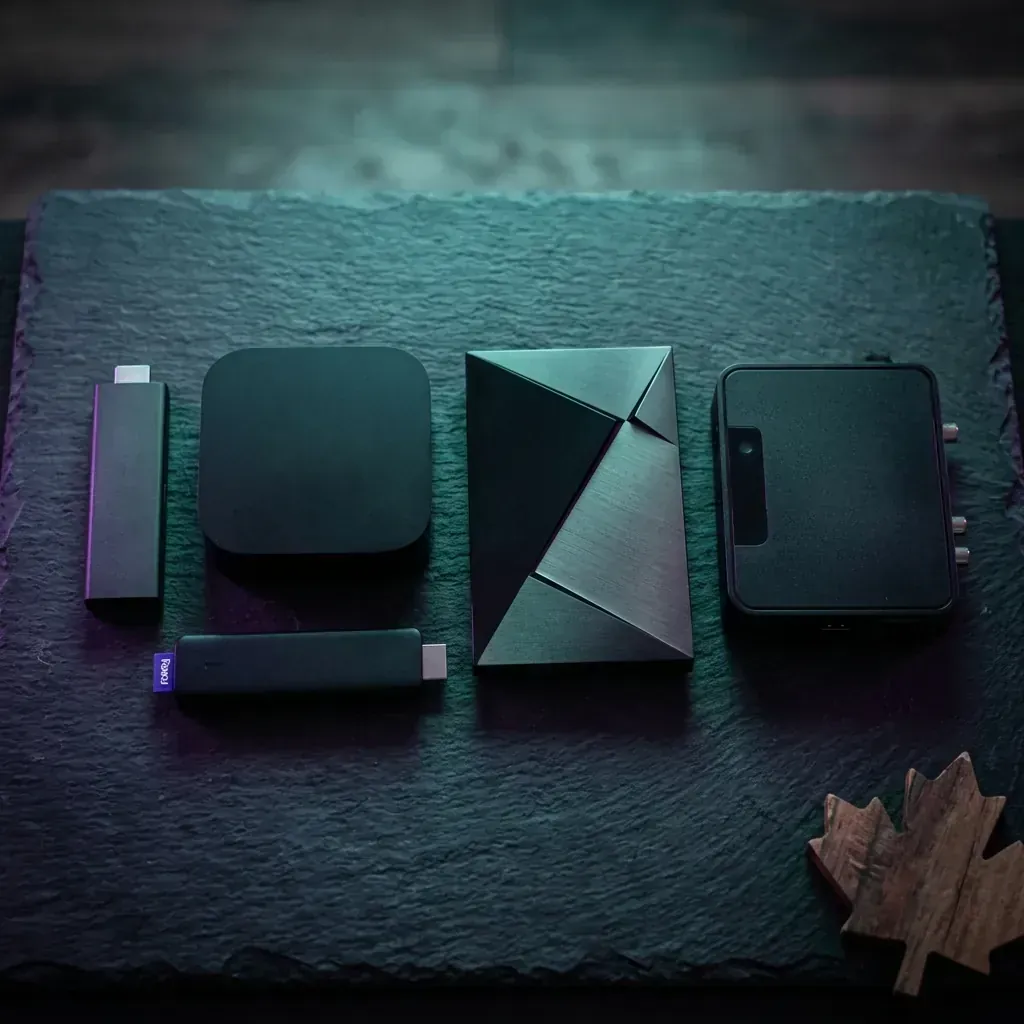
The definitive Canadian guide to choosing the best streaming device for live TV, IPTV, sports, and 4K content in 2026. Every option tested and ranked.
Join 15,000+ others who switched to our Anti-Freeze technology. Get instant access to 25,000+ channels in 4K starting from just 3 months.
Here's a frustrating reality that Canadian cord-cutters discover too late: the streaming service you choose is only as good as the device you run it on.
You could have the best IPTV subscription on the planet — 15,000+ channels, 4K quality, zero-lag servers — and it won't matter if you're trying to run it on a $20 no-name Android box from Amazon Marketplace that overheats after 30 minutes. Or worse, a device that doesn't support the apps you actually need.
We've seen it hundreds of times. A Canadian viewer cancels Bell Fibe TV, signs up for a premium streaming service, and then blames the provider when their 6-year-old Roku Express stutters through Hockey Night in Canada. The device was the bottleneck the entire time.
So we tested every major streaming device available to Canadians in 2026 — from the budget-friendly $40 Amazon Fire TV Stick Lite all the way up to the $270 Nvidia Shield Pro. We ran IPTV apps, mainstream streaming services, and 4K content through each one for over two weeks. We measured boot times, app load speeds, channel switching latency, 4K decode performance, and heat under sustained load.
This guide is the result. Every device is ranked by real-world Canadian streaming performance — not spec sheets.
Before we rank anything, let's establish what actually matters — because the spec sheets manufacturers publish are designed to confuse you into overpaying.
Processor & RAM — Determines how fast the device boots, how quickly apps load, and how smoothly it handles EPG (Electronic Program Guide) data from IPTV services. Minimum 2GB RAM for serious streaming. 4GB is the sweet spot.
4K HDR Decode — If your TV supports 4K, your streaming device needs to decode 4K HEVC (H.265) content without dropping frames. Cheap devices claim "4K support" but stutter on actual 4K streams.
Wi-Fi Standard — Wi-Fi 6 (802.11ax) makes a measurable difference for streaming in Canadian homes where the router might be two rooms away. Wi-Fi 5 works fine, but Wi-Fi 4 is a bottleneck.
App Compatibility — This is where most guides fail you. The best IPTV player apps — TiviMate, IPTV Smarters Pro, IBO Player Pro — are Android-based. If your device doesn't run Android/Fire OS, your app options shrink dramatically.
Sideloading Support — Many IPTV apps aren't available in official app stores. You need a device that allows sideloading (installing apps from outside the official store). This eliminates Roku entirely for advanced IPTV use.
Ethernet Port — For Canadians who want zero-buffer 4K streaming during high-traffic events (Stanley Cup playoffs, anyone?), a wired connection beats Wi-Fi every time. Only premium devices include an Ethernet port natively.
📡 Need to check if your internet is fast enough first? Read our internet speed guide for IPTV streaming — it covers exact requirements for HD vs. 4K.
| Rank | Device | Price (CAD) | 4K HDR | Wi-Fi | RAM | IPTV App Support | Sideloading | Ethernet | Best For | |---|---|---|---|---|---|---|---|---|---| | 🥇 | Fire TV Stick 4K Max (2nd Gen) | ~$75 | ✅ Dolby Vision | Wi-Fi 6E | 2GB | ⭐⭐⭐⭐⭐ | ✅ Easy | Adapter ($15) | Best overall | | 🥈 | Nvidia Shield TV Pro | ~$270 | ✅ Dolby Vision | Wi-Fi 5 | 3GB | ⭐⭐⭐⭐⭐ | ✅ Easy | ✅ Built-in | Power users | | 🥉 | Apple TV 4K (3rd Gen) | ~$180 | ✅ Dolby Vision | Wi-Fi 6 | 4GB | ⭐⭐⭐ | ❌ No | ✅ Built-in | Apple ecosystem | | 4 | Chromecast Google TV 4K | ~$65 | ✅ HDR10+ | Wi-Fi 5 | 2GB | ⭐⭐⭐⭐ | ✅ Yes | Adapter ($20) | Budget 4K | | 5 | Fire TV Stick 4K | ~$55 | ✅ Dolby Vision | Wi-Fi 6 | 2GB | ⭐⭐⭐⭐⭐ | ✅ Easy | Adapter ($15) | Best value | | 6 | Roku Streaming Stick 4K | ~$50 | ✅ HDR10+ | Wi-Fi 5 | 1GB | ⭐⭐ | ❌ No | ❌ No | Simplicity | | 7 | Android TV Boxes | $50-150 | Varies | Varies | 2-4GB | ⭐⭐⭐⭐⭐ | ✅ Full | ✅ Usually | Customization | | 8 | Smart TV Apps | $0 (built-in) | TV-dependent | TV-dependent | Varies | ⭐⭐⭐ | Limited | ✅ (TV port) | No extra hardware |
Now let's break down each device in detail.
Price: ~$75 CAD | Available: Amazon.ca, Best Buy Canada
The Fire TV Stick 4K Max isn't the most powerful device on this list. It's not the cheapest. It's not the most premium. But it hits the sweet spot between price, performance, and app compatibility that makes it the #1 pick for Canadian streamers in 2026.
For 90% of Canadian cord-cutters, this is the device. It's $75, runs every IPTV app flawlessly, supports 4K Dolby Vision, and has the fastest Wi-Fi of any streaming stick. Pair it with TiviMate and a StreamVexa subscription, and you have a full cable replacement for under $90 total.
🔧 Already own a Fire TV Stick? Get the most out of it with our TiviMate best settings guide.
Price: ~$270 CAD | Available: Best Buy Canada, Amazon.ca
The Nvidia Shield TV Pro is the undisputed king of streaming hardware. It's been the gold standard since 2019, and in 2026, nothing in the consumer market has dethroned it. If you're serious about streaming and you're willing to pay for the best hardware available, this is it.
If you're running a premium IPTV service with 15,000+ channels, you regularly watch 4K content, and you want a single device that handles everything flawlessly for years — the Shield Pro is worth every penny. It's the device we use in our own testing lab.
📺 Full setup walkthrough? Read our Nvidia Shield Pro IPTV setup guide.
Price: ~$180 CAD | Available: Apple.ca, Best Buy Canada
The Apple TV 4K is arguably the best mainstream streaming device ever made. The hardware is outrageously powerful — the A15 Bionic chip inside it is the same processor that powered the iPhone 13 Pro. The interface is the cleanest and most responsive of any device on this list.
Here's where it gets complicated for Canadian IPTV users.
Apple's tvOS does not support sideloading. You can only install apps from the official Apple TV App Store. That means:
The Apple TV 4K runs IPTV well — just with fewer app choices and less customization than Android-based devices.
If your household is fully invested in the Apple ecosystem and you prioritize a premium, ad-free interface, the Apple TV 4K is excellent. Just know that your IPTV app options are more limited than Fire TV or Android devices.
📱 Already own an Apple TV? Check our how to watch IPTV on iPhone & Apple TV guide for step-by-step setup.
Price: ~$65 CAD | Available: Google Store Canada, Best Buy
Google's Chromecast with Google TV revived a brand that was struggling. Unlike the old "cast-only" Chromecasts, this version has a proper remote, a full Google TV interface, and runs Android TV apps — including all the IPTV players you need.
A capable budget option for Canadians who prefer Google's ecosystem over Amazon's. The IPTV app support is nearly as good as Fire TV, but the limited storage and lower RAM make it a step behind. Good starter device — but you may outgrow it.
Price: ~$55 CAD | Available: Amazon.ca, Best Buy Canada, Walmart Canada
The non-Max version of Amazon's 4K stick. It drops Wi-Fi 6E down to Wi-Fi 6 and removes the Ambient Experience, but keeps everything else that made the Max great — including full IPTV app compatibility.
If the $75 price of the 4K Max makes you hesitate, the regular 4K at $55 is the smartest compromise. You still get full 4K, solid Wi-Fi 6, and perfect IPTV app support. This is the device we recommend most often to first-time cord-cutters in Canada.
🔥 Setting up IPTV on Firestick? Our complete Fire TV Stick IPTV installation guide walks you through every step.
Price: ~$50 CAD | Available: Amazon.ca, Best Buy Canada, Walmart Canada
Roku makes the simplest streaming interface in the industry. If you hand one to your parents or grandparents, they'll figure it out in minutes. The grid layout, the straightforward remote, and the zero-clutter home screen are genuinely best-in-class for ease of use.
Roku does not support sideloading. Period.
This means:
There are a handful of basic IPTV apps in the Roku Channel Store, but they are limited, poorly maintained, and lack features like EPG, catch-up TV, and multi-connection support.
If you're only using mainstream Canadian apps (Netflix, Crave, TSN Direct, Sportsnet+), Roku is perfectly fine. If you want to run any IPTV service — skip Roku entirely.
For parents, grandparents, or anyone who only uses official Canadian streaming apps and values simplicity above everything else. Not suitable for IPTV.
Price: $50-150 CAD | Available: Amazon.ca, AliExpress, local electronics shops
The vast world of "Android TV boxes" — brands like Mecool, Formuler, X96, T95, Beelink — is both the most powerful and most unpredictable category.
| Box | Price (CAD) | RAM | Storage | Google Certified | Our Rating | |---|---|---|---|---|---| | Formuler Z11 Pro Max | ~$170 | 4GB | 32GB | ✅ Yes | ⭐⭐⭐⭐⭐ | | Mecool KM2 Plus | ~$90 | 2GB | 16GB | ✅ Yes | ⭐⭐⭐⭐ | | Mecool KM7 Plus | ~$100 | 2GB | 16GB | ✅ Yes | ⭐⭐⭐⭐ | | X96 Max Plus | ~$60 | 4GB | 64GB | ❌ No | ⭐⭐⭐ | | Generic MXQ/T95 | ~$40-50 | 2GB | 16GB | ❌ No | ⭐⭐ |
If you know what you're doing and buy from a reputable brand (Formuler, Mecool, or Beelink), an Android TV box can be excellent value. If you're new to streaming and don't want to troubleshoot firmware issues, stick with the Fire TV Stick 4K Max — it does 95% of what these boxes do with none of the headaches.
Price: $0 (already built into your TV)
Every Smart TV sold in Canada in the last 5 years has built-in apps. Samsung uses Tizen, LG uses webOS, and Sony uses Google TV. You can run streaming apps directly on your TV without any external device.
If you only use Netflix, Crave, and Canadian network apps, your Smart TV's built-in apps are fine. If you want to run IPTV services, buy a dedicated streaming device. Even a $55 Fire TV Stick will outperform a $2,000 Smart TV's built-in apps for IPTV streaming.
📺 Want to set up IPTV directly on your Samsung or LG? Read our Samsung & LG Smart TV IPTV setup guide — it covers the available apps and workarounds.
PlayStation 5 and Xbox Series X both run streaming apps, but they're poor choices for dedicated streaming in Canada:
Our Verdict: Use your console for gaming. Buy a separate $55-75 streaming device for TV.
This is the question most Canadian cord-cutters are actually asking. Here's the definitive answer.
| Device | TiviMate | IPTV Smarters Pro | IBO Player Pro | Sideloading | IPTV Score | |---|---|---|---|---|---| | Fire TV Stick 4K Max | ✅ | ✅ | ✅ | ✅ Easy | 10/10 | | Nvidia Shield Pro | ✅ | ✅ | ✅ | ✅ Easy | 10/10 | | Fire TV Stick 4K | ✅ | ✅ | ✅ | ✅ Easy | 10/10 | | Android TV Box (certified) | ✅ | ✅ | ✅ | ✅ Full | 9/10 | | Chromecast Google TV | ✅ | ✅ | ✅ | ✅ Yes | 8/10 | | Apple TV 4K | ❌ | ✅ | ✅ | ❌ No | 6/10 | | Sony Smart TV | ✅ | ✅ | ✅ | ✅ Yes | 7/10 | | Samsung/LG Smart TV | ❌ | Limited | Limited | ❌ No | 4/10 | | Roku | ❌ | ❌ | ❌ | ❌ No | 2/10 |
The pattern is clear: Android-based devices dominate IPTV compatibility. If you're subscribed to (or considering) an IPTV service in Canada, buy an Android/Fire OS device.
🇨🇦 Looking for the best IPTV service to pair with your device? Read our Best IPTV in Canada 2026 rankings — we tested and ranked every major provider.
Regardless of which device you choose, the setup process with StreamVexa is the same:
Start your premium plan — Visit streamvexa.com/pricing and select your subscription. All plans are backed by our 7-day money-back guarantee.
Install your IPTV player app:
Enter your StreamVexa credentials — Use the M3U URL or Xtream Codes login from your welcome message.
Start watching — 15,000+ live channels, 100,000+ VOD titles, every Canadian network, and all sports — loaded and ready in under 5 minutes.
🔧 Experiencing buffering? 9 times out of 10, it's a fixable settings issue. Read our fix IPTV buffering guide before blaming your device or provider.
"I want the best balance of price and performance" → Fire TV Stick 4K Max ($75). Best overall for Canadian cord-cutters.
"Budget is tight — what's the cheapest good option?" → Fire TV Stick 4K ($55). Full 4K, full IPTV app support, Wi-Fi 6. Hard to beat.
"Money isn't the issue — give me the absolute best" → Nvidia Shield TV Pro ($270). The most powerful streaming device you can buy.
"My whole family uses Apple products" → Apple TV 4K ($180). Beautiful device, but know that TiviMate isn't available — you'll use IPTV Smarters Pro or IBO Player Pro instead.
"I just watch Netflix, Crave, and TSN — nothing fancy" → Roku Streaming Stick 4K ($50). Simplest interface, perfect for mainstream Canadian apps. Not suitable for IPTV.
"I want maximum customization and Ethernet built-in" → Formuler Z11 Pro Max ($170) or Nvidia Shield Pro ($270). Full Android, wired connection, maximum control.
"I don't want another device — can my Smart TV handle it?" → If it's a Sony Google TV — yes, it runs IPTV apps well. If it's Samsung or LG — buy a Fire TV Stick 4K. Your $55 investment will transform the experience.
All devices reviewed are available through trusted Canadian retailers:
Pro tip: The Fire TV Stick 4K Max regularly drops to $45-50 CAD during Amazon sales events. Set a price alert and wait for the deal if you're not in a rush.
Let's do the full math. Here's what a complete cable replacement costs in Year 1 — device purchase plus 12 months of service:
| Setup | Device Cost | Monthly Service | Year 1 Total | Year 2+ Annual | |---|---|---|---|---| | Fire TV Stick 4K + StreamVexa | $55 | $10/mo | $175 | $120 | | Fire TV Stick 4K Max + StreamVexa | $75 | $10/mo | $195 | $120 | | Nvidia Shield Pro + StreamVexa | $270 | $10/mo | $390 | $120 | | Apple TV 4K + StreamVexa | $180 | $10/mo | $300 | $120 | | Bell Fibe TV (no device needed) | $0 | $85-150/mo | $1,020-1,800 | $1,020-1,800 | | Rogers Ignite TV | $0 | $95-150/mo | $1,140-1,800 | $1,140-1,800 |
Even the most expensive option on this list — Nvidia Shield Pro + StreamVexa — costs less in Year 1 than four months of Bell Fibe TV. By Year 2, you're saving $900-1,680 annually.
💰 Want the complete Canada-specific breakdown? Read our detailed Cable vs. IPTV cost comparison.
Your streaming device is a one-time purchase. Your cable bill is a lifetime sentence.
A $55 Fire TV Stick 4K paired with a premium IPTV service replaces $1,000+/year in cable fees. It gives you 15,000+ live channels, 4K quality, every Canadian network (TSN, Sportsnet, CBC, CTV), and 100,000+ movies on demand.
We recommend starting with a Premium 3-Month Plan (7-Day Money-Back Guarantee) to test your internet speed against our UHD servers.
👉 Click Here to Start Your Premium Plan — Risk-Free 7-Day MB Guarantee
Pick your device. Start your premium plan. Watch Hockey Night in Canada in 4K tonight.
/blog/best-streaming-devices-canada-2026Learn everything you need to know about Internet Protocol Television (IPTV). Discover how it works, why millions are cutting the cord, and how to choose a safe, premium provider in 2026.
Tired of buffering at the worst moment? Discover the best premium IPTV service of 2026 that actually delivers 4K sports and VOD without the freezing.
Looking to jailbreak your Firestick in 2026? Stop. Free APKs buffer and carry malware. Follow these 5 safer steps to set up a premium, buffer-free live TV experience.